
Accounting automation built around your existing systems
Give invoices, expenses and approvals a clearer route through your business. Tailored workflows can reduce repeated entry and help the team see what is ready, what needs checking and what has reached the accounting system.
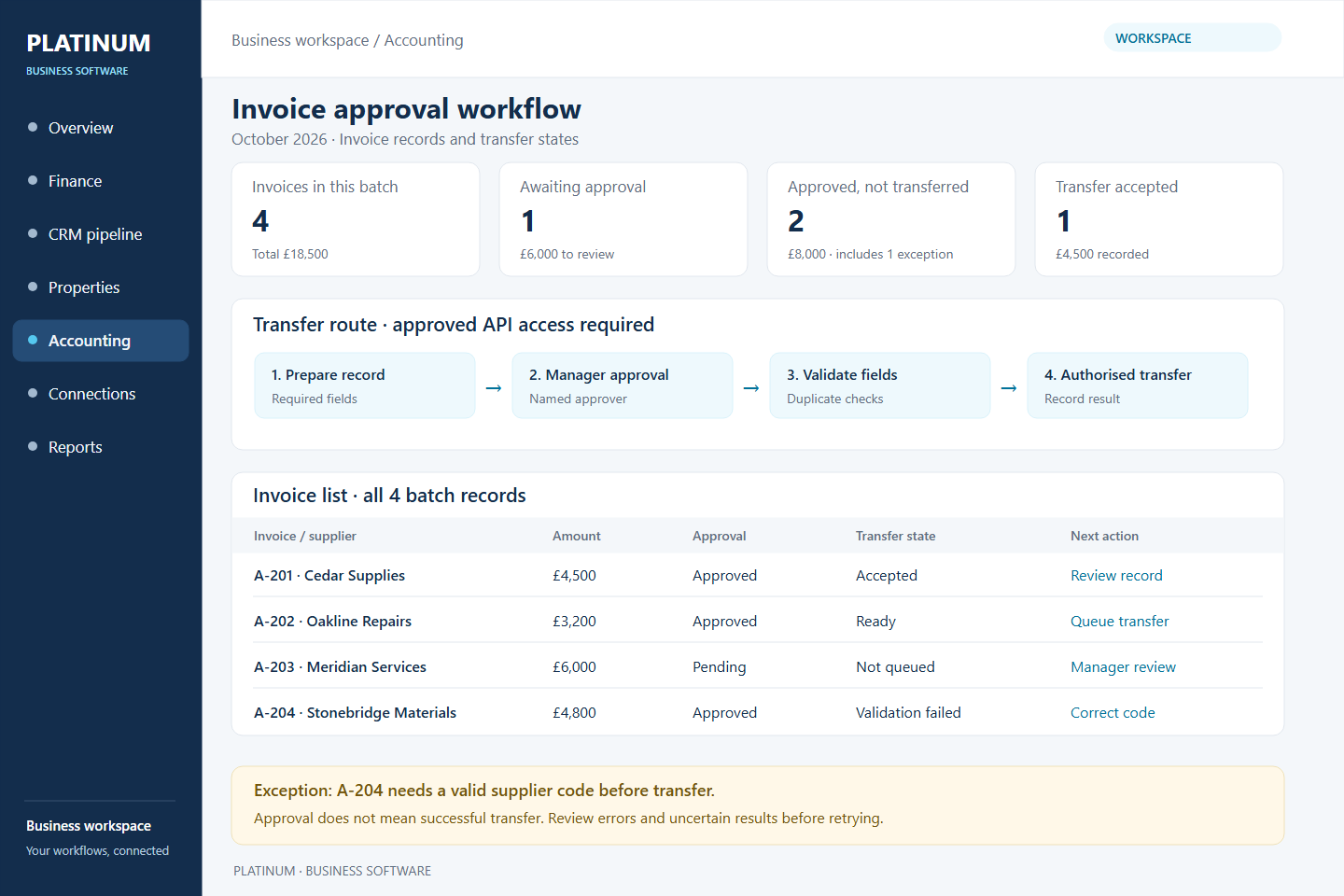
Make the next accounting action visible
An invoice should not disappear into an email thread. A shared workflow can record the person responsible, supporting information, approval status and any validation problem. Your team can inspect an exception without re-entering the whole record.
- Invoice preparation from agreed operational records.
- Expense capture and review with required fields and supporting document links.
- Approval chains that reflect spending limits and team responsibilities.
- Matching workflows, duplicate checks and controlled exports.
- Integration status, retry history and a queue of items needing attention.
Approve once, then transfer
An operations colleague prepares an invoice, a manager approves it and the agreed fields pass into an accounting platform through an authorised connection. If a customer code is missing, the record remains visible with a clear correction task. Approval and successful transfer are separate states.
Work with the accounting tools you have
This work can complement existing accounting software and your accountant's process. Statutory returns, tax submissions and Making Tax Digital compliance are not included by default. Any regulated or tax-related requirement needs specific review and agreement.
Potential integrations depend on provider permissions and API access. We assess authentication, usage limits and validation rules; record identifiers help prevent duplicate transfers. Errors and uncertain responses need an agreed checking and recovery process.
Questions to bring to discovery
- Which accounting platform and subscription do you use?
- How are invoices, expenses and supplier records created today?
- Who approves each type of item, and at what limits?
- Which repeated entries cause the most work or errors?
- How should rejected or unmatched records be corrected?
Separate the workflow from the report
Accounting automation concerns the preparation, approval and movement of records. If you also need a management view of budgets and cash flow, explore finance management software. Both can share agreed data without confusing the accounting source of truth.